Build Your Own Time Tracking Software with AI: A Risk?
by Alexander Huber
Building your own time tracking software used to be a niche topic. Since modern AI coding tools, coding agents, and agentic workflows can produce product-like prototypes in a short time, in-house development suddenly looks much more attractive again. In February 2026, GitHub expanded its coding agent with model choice, self-review, built-in security scans, and CLI handoff (GitHub Blog). Since March 2026, OpenAI has described a way of working in which developers coordinate multiple coding agents in parallel and delegate longer-running tasks (OpenAI). And since February 2026, GitHub has shown with Agentic Workflows how agents can be used in automated repository processes with guardrails (GitHub Blog).
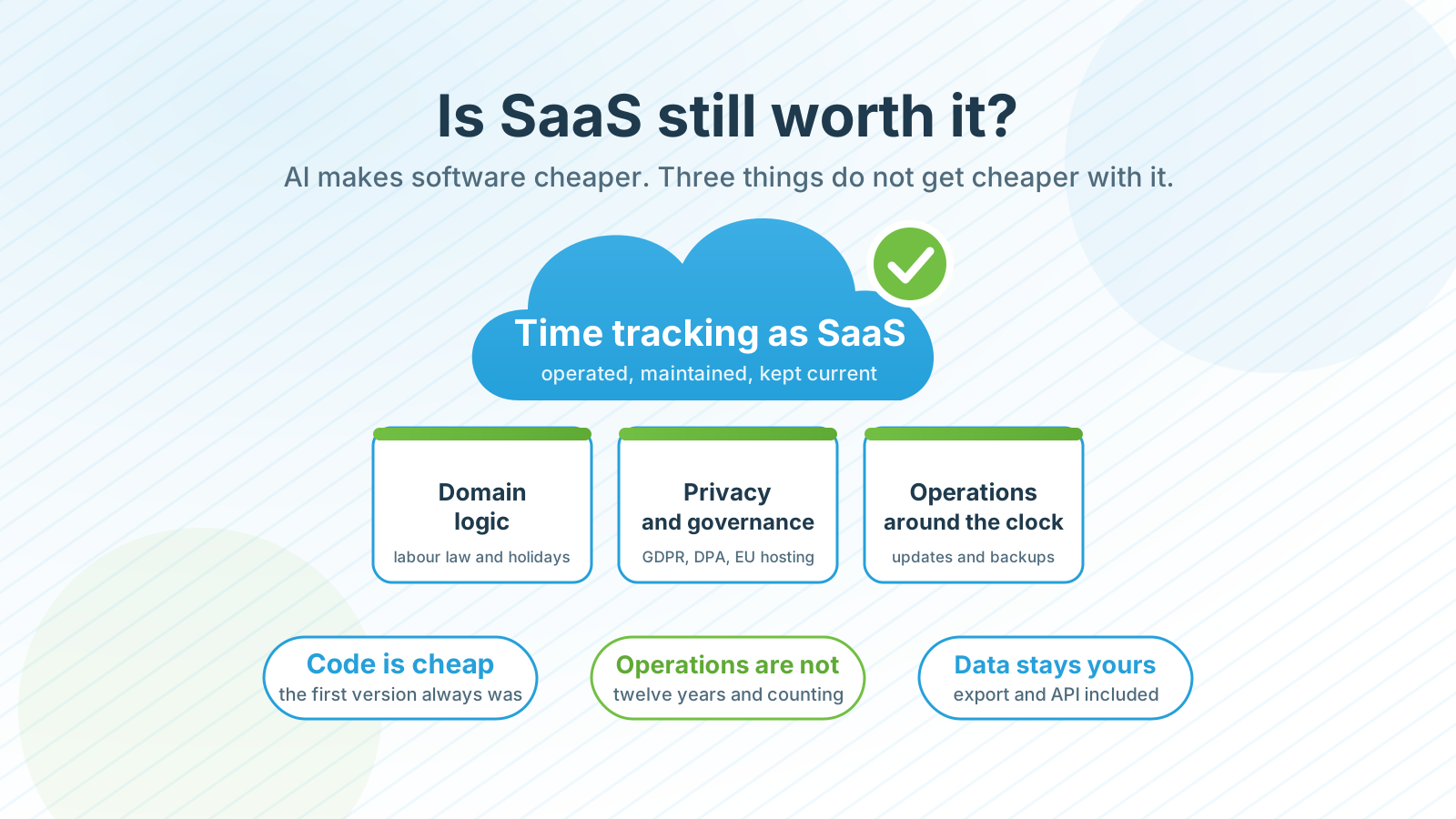
That naturally raises the question of whether time tracking software is now something you should simply build yourself. For an initial prototype, that often works surprisingly well. The real management question, however, is not whether you can build time tracking software with AI. The question is whether you also want to run it reliably, securely, maintainably, and economically in production.
Why Building Time Tracking Software Yourself Looks Attractive Again
The current AI wave is not just a new user interface for code completion. In recent months, there has been a visible shift in what teams delegate to agents. GitHub shows with Agentic Workflows that agents can now take over recurring repository tasks such as triage, documentation, and code quality checks in automated workflows (GitHub Blog). At the same time, GitHub presents self-review, security scans, and CLI handoff as part of the current coding agent product experience (GitHub Blog). OpenAI describes collaboration with multiple agents across longer-running tasks (OpenAI). Anthropic’s 2026 Agentic Coding Report also outlines a trend toward longer-running, connected development tasks with human checkpoints (Anthropic).
From a management perspective, this matters because what used to look like a toy for demos has become a plausible tool for internal software. The barrier to custom development has dropped significantly. That is exactly what makes the debate more interesting: what would have looked like an overambitious side project not long ago can now appear realistic to business units and IT teams.
Why Time Tracking Is More Complex Than Many Assume
Many people underestimate time tracking because the visible surface looks simple: create users, create projects, enter hours, show reports. In practice, however, there is much more attached to it. As soon as a system starts influencing real work processes, it quickly becomes part of the operational infrastructure rather than just an elegant input form.
The overview below shows the areas that can easily look like “details” during custom development, but in productive operation often determine cost, acceptance, and risk.
| Area | Why it matters in productive operation |
|---|---|
| Working time and availability | Time entries must be complete, plausible, and usable in everyday work. |
| Project billing and post-calculation | Incorrect bookings directly affect margins, invoices, and management decisions. |
| Absences and substitutions | Vacation, sick leave, and substitution rules cannot live outside the system. |
| Roles, permissions, and approvals | Not everyone should be able to see, change, or approve everything. |
| Corrections, history, and traceability | Bookings must remain correctable without losing historical transparency. |
| Interfaces to HR, accounting, or project tools | The practical value often depends on stable integrations. |
In addition, working time tracking in Europe is not just a matter of convenience. On May 14, 2019, the European Court of Justice held that member states may require employers to set up an objective, reliable, and accessible system for recording daily working time (Curia). Even though the detailed implementation differs by country, the point is very clear: time tracking is not just about input screens, but about reliability and traceability.
The Prototype Is Usually Not the Real Problem
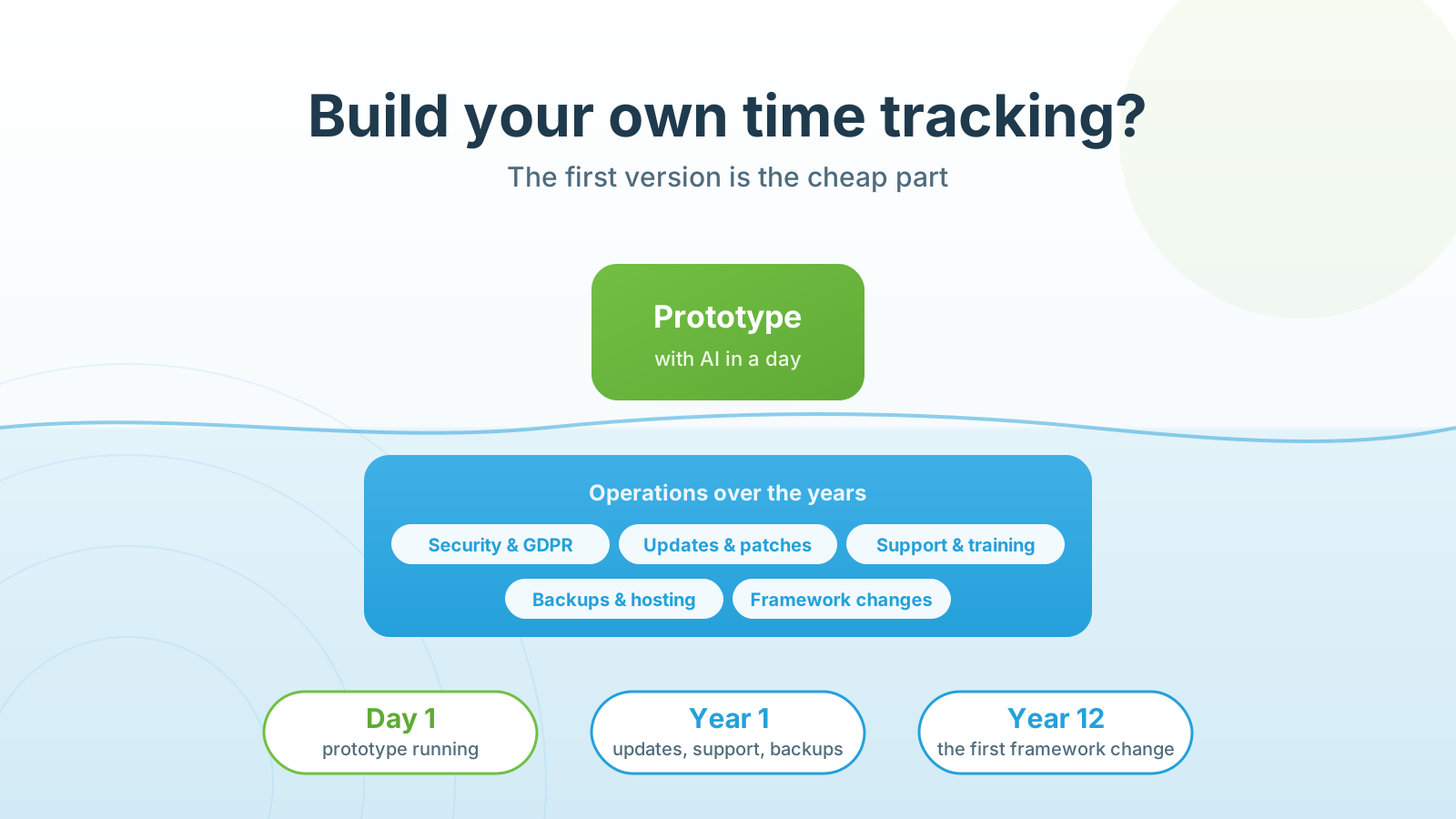
With AI, you can build an initial version quickly today. That is exactly where the risk lies. A good demo easily creates the impression that the topic is basically solved. In reality, after the prototype the discussion simply moves from the surface into operations.
At that point, the question is no longer whether people can enter hours, but whether the system can be managed, secured, and developed reliably in day-to-day use. The typical questions often show up only in the second step, and they are rarely spectacular. These unglamorous points are often what determine whether the system holds up or turns into a permanent maintenance problem:
- Who is allowed to see, approve, or change which bookings?
- How does onboarding work for new employees or external partners?
- How does clean offboarding work, and who ensures that orphaned users are locked or deactivated in time?
- How are holidays, part-time models, or special rules represented?
- How are bookings corrected without losing history?
- Which data must remain consistent for reporting, billing, and project steering?
None of these questions sounds innovative. That is exactly the point. In production systems, risks often arise not from spectacular architectural failures, but from forgotten users, overbroad permissions, unclear ownership, or messy correction processes.
This is also where it makes sense to connect the topic to our article on IT security at time cockpit. That article makes it very clear why identities, roles, offboarding, and traceable access are not side issues, but part of a resilient operating model. A forgotten account, overly broad rights, or unclear responsibilities may sound trivial, but in production systems they are exactly the kind of issues that later turn into security and compliance problems.
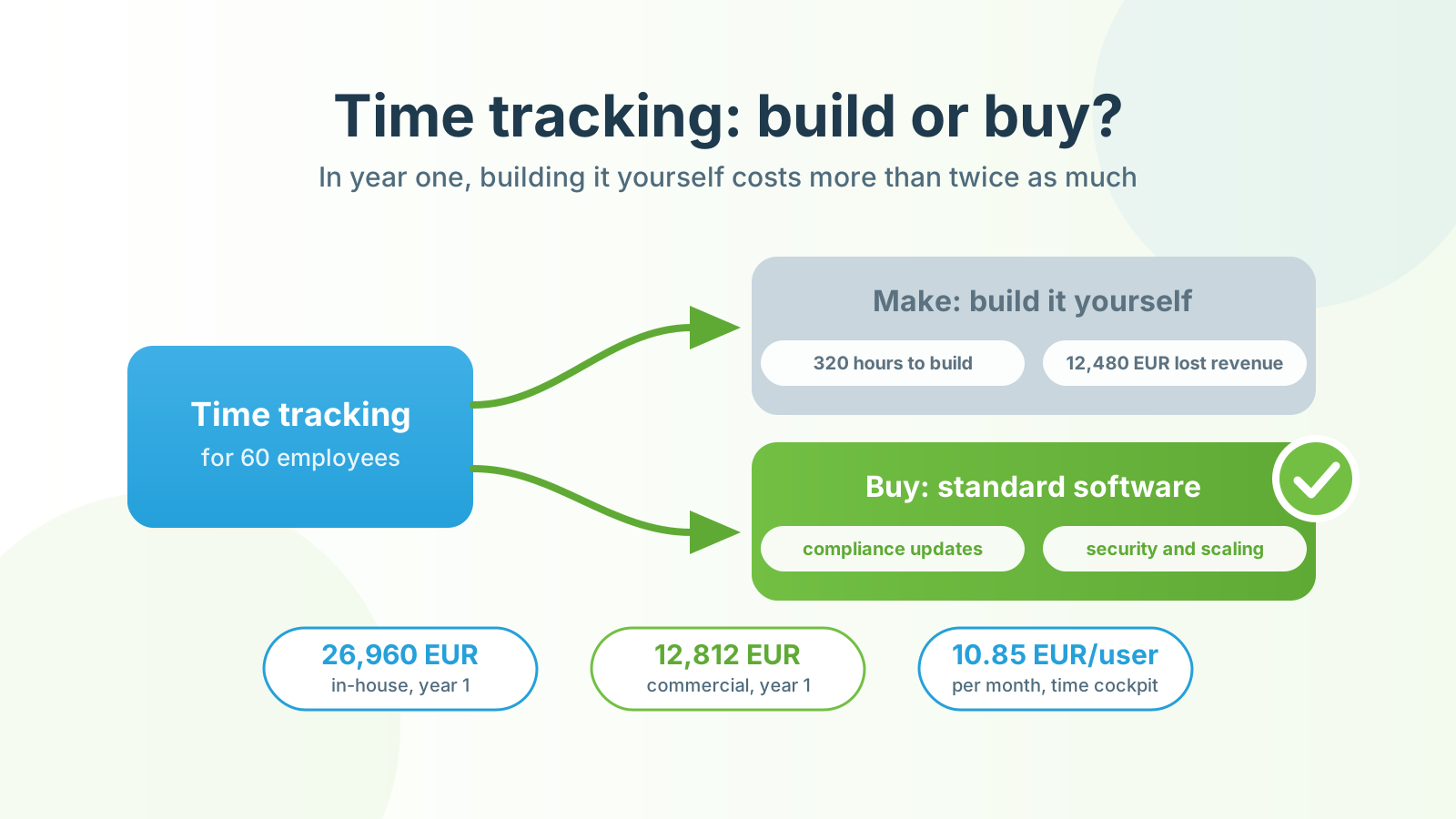
There is another point that is easy to underestimate with AI-driven prototypes: software also needs maintenance after go-live. Dependencies age, security updates need to be applied, frameworks evolve, and requirements from HR, project controlling, or accounting keep changing. Very quickly, this leads back to the same basic question we discuss in our article on make-or-buy for time tracking systems: do you really want to build not only the first version, but also carry long-term responsibility for maintenance, further development, operations, and personnel dependencies?
At that point, an internal tool gradually becomes its own product, including operations, support, further development, and technical risk. This is exactly where the discussion shifts from “We managed to build it” to “Do we actually want to own it long term?”.
AI Code Accelerates Delivery, but It Does Not Replace Governance
Precisely because AI coding has matured so quickly in recent months, governance becomes more important, not less. GitHub now explicitly points to built-in security checks for its coding agent and explains why in very direct terms: AI-generated code can produce vulnerable patterns, secrets, or dependent packages with known weaknesses faster than teams notice (GitHub Blog).
There are also new questions around data and traceability. On March 25, 2026, GitHub announced that interaction data from Copilot Free, Pro, and Pro+ would be used for model training and improvement from April 24, 2026 onward unless users opt out (GitHub Blog). According to GitHub, this does not apply to Business and Enterprise. The point is not that you therefore should not use AI. The point is that teams working on production-adjacent software need to make conscious decisions about data, policies, and tool selection.
Independently of the current market cycle, secure software development remains a process, not just a writing task. NIST’s Secure Software Development Framework emphasizes exactly this discipline of requirements, reviews, tests, and continuous improvement (NIST). OWASP also warns in the GenAI context about overreliance, meaning the risk of accepting model outputs without sufficient control (OWASP).
When Custom Development Can Make Sense
Even so, it would be wrong to conclude from all this that you should never build time tracking software yourself. An internal approach can make sense if a very narrow special case needs to be covered, if an existing system is being extended in a targeted way, or if a clearly limited tool is enough for a well-bounded internal process.
The decisive question is whether you really want to build a complete time tracking system or rather a specific extension, integration, or automation. This is exactly where we see the more pragmatic path in many IT services companies: not a complete rebuild, but an adaptable standard solution that already covers the difficult fundamentals while still leaving room for company-specific processes.
What This Means in Practice for IT Services Companies
Anyone who wants to steer project business cleanly needs more than a nice input screen. What matters is consistent data, stable processes, and reliable reporting. Otherwise, time tracking quickly turns into a source of rework, follow-up questions, and endless discussions about data quality.
From our perspective, a clear division of responsibilities has proven effective for many teams:
- AI for ideas, prototypes, and rapid process drafts
- standard software for the reliable core
- customizations where the business is truly special
This split is neither glamorous nor especially romantic from a technology point of view, but it is often economically sound. If you want to explore that distinction further, we already cover it in our article on make-or-buy for time tracking systems and in our article on customizability in SaaS software. If your focus is more on profitability and project steering, you will also quickly end up at project time tracking rather than a simple list of hours.
Conclusion
Building your own time tracking software sounds much more realistic with AI today than it did not long ago. That is exactly why the decision should not be made based only on development speed. For a demo, AI can often go surprisingly far. For productive use, however, the real work begins only afterwards: rules, permissions, security, reporting, integrations, and ongoing maintenance.
So the better management question is not: Can we build time tracking software ourselves?
It is: Do we really want to take responsibility for the long-term operation of such a system ourselves, or is an adaptable standard solution the smarter economic choice?