Enterprise Time Tracking in Large Companies
by Alexander Huber
A practical article from our experience
In the previous blog post we discussed why time tracking matters for startups and small businesses, especially for transparency, project control, and better business decisions.
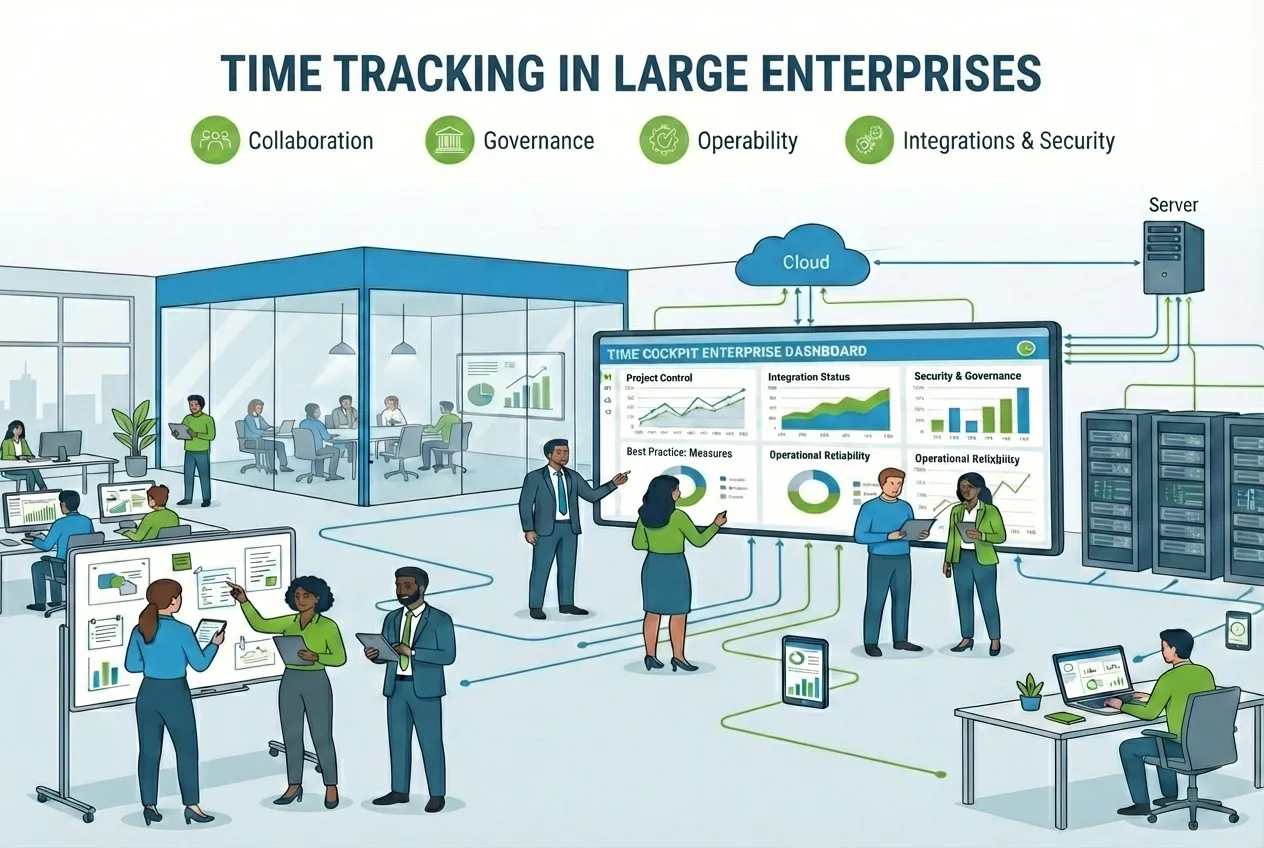
In this article, we describe how we work with large organizations in practice, which requirements we see again and again, and how we implement them with time cockpit. This is less about feature checklists and more about what actually decides success in enterprise environments: collaboration, governance, and operational readiness.
We have worked with enterprise organizations for many years where time tracking is only one building block in a larger system landscape. The key question is rarely whether a tool “can do everything”. It is whether you can organize integrations, security requirements, releases, and change in a way that works reliably at scale.
If you want a compact overview, you will also find the most important points on our feature page Enterprise time tracking.
What “enterprise” really means in practice
In large companies, time tracking is rarely a standalone tool. It is part of an existing system landscape.
Typical perspectives include at least:
- Business departments: Which reports do project leads, controlling, and management actually need?
- IT: How do we integrate the system into our landscape and operate it reliably?
- Security: How do we ensure identity, access control, and auditability?
- Data protection: How is personal data processed and protected?
- Procurement: Which contract, risk, and budget questions need clear answers?
That is why decisions are not only made based on functionality, but on integration capability, stability, change processes, and risk profile.
From our experience, rollouts in large organizations rarely fail because of “too few features”. They fail because of missing clarity in roles, data ownership, and decision-making.
Rollout & operations in large companies: how we organize roles and decision rounds
Collaboration with enterprise customers is typically long-term. Instead of a classic fixed-scope project logic, we often see continuous delivery where improvements, integrations, and extensions are implemented step by step.
In practice, a clear role model has proven effective:
- Application owner on the customer side bundles requirements and prioritizes from a business perspective.
- IT contacts clarify technical constraints, integrations, and operations.
- Security and data protection review policies, risk, and compliance.
- Procurement manages contracting and purchasing processes.
Organizationally, regular check-ins work very well, often on a two-week rhythm. In these meetings, work items are defined, status is discussed, and decisions are prepared.
One point that is often underestimated in enterprise environments is continuity. On our side, we work with stable teams and low fluctuation. That helps build and retain knowledge, which is crucial in mature system landscapes.
One thing we also make explicit early on, even though it sounds obvious: we clarify which decisions are made in which forums. Otherwise you end up with perfect requirements, but nobody who can approve them.
Enterprise requirements we see almost every time
In this section, we describe patterns we encounter again and again in large organizations. We share examples of how we implement them with time cockpit, but the underlying principles are more general.
Identity, access, and governance
In enterprise IT environments, centralized access is the standard. Single sign-on is therefore not “nice to have”. It is a basic requirement.
With time cockpit, we use SSO with common identity providers such as Microsoft Entra ID (Azure Active Directory) or Okta (Enterprise features).
What matters most from an enterprise perspective:
- Central user management instead of local accounts.
- Policy enforcement via the identity provider.
- Clean joiner/mover/leaver processes.
If identity and access are set up properly, time tracking will not be treated as a special case. It becomes an integrated part of the organization.
In collaboration projects, we make sure it does not stop at “SSO works”. What matters is that onboarding, roles, and offboarding are traceable, and that responsibilities are clear.
ℹ️ time cockpit supports both “local” accounts and single sign-on, if needed even in parallel. In enterprise projects, however, we recommend agreeing on a clear identity concept early and disabling local authentication to reduce risk. If local accounts are still required, enforce strong password and lifecycle policies (e.g., regular password changes and minimum requirements) so passwords do not remain valid for years.
Integration instead of data silos
Enterprise time tracking delivers its value most when time data flows into other systems.
Typical target systems include:
- controlling and BI (e.g., Power BI, Tableau)
- ERP or billing systems (e.g., Microsoft Dynamics 365 Business Central, SAP S/4HANA)
- data warehouse and reporting (e.g., Azure Synapse Analytics, Snowflake)
In many enterprise landscapes, not all target systems are cloud based. Some key applications still run on premises, and you still need a reliable, operable way to connect them.
In practice, we often implement this with Azure Hybrid Connections so cloud services can reach on-premises endpoints without exposing them publicly. Just as important is decoupling. Instead of tight point-to-point calls, we prefer durable, asynchronous patterns where appropriate, for example using Azure Service Bus as an integration backbone.
In time cockpit, we rely on interfaces and a web API. Details are covered on the feature page Integration and Web API. In enterprise projects, we treat integrations not as a one-time “export”, but as an operational responsibility.
- On the website, the web API is described as a way to exchange data via HTTP, REST, and JSON (Integration and Web API).
- In the product documentation, the web API is described with base URL, authentication, and endpoints, including OData, Query, ExecuteList, ExecuteAction, and the reporting endpoint (Web API docs).
For enterprise organizations, this is critical because time tracking does not become a data silo. It becomes a reliable source for downstream processes.
A practical tip from projects that run longer than just a rollout: define integration not as “we export data”, but as a contract. Which fields are authoritative? What quality is required? What happens on errors? How is monitoring done? It may sound like overhead, but it prevents a lot of later discussions.
⚠️ Important: In enterprise projects, it is crucial to look beyond your own system. It is not only about time tracking, but about the entire landscape. Always consider the impact of changes. Example: if you change required fields in a table, you may break an integration that supplies this data. That is why it is essential to understand dependencies and communicate planned changes to data structures or interfaces early and clearly.
If you want to dive deeper into integrations, this article is a good fit: Optimize project time tracking: leverage integrations.
Scalable user management
In organizations with many employees, user management quickly becomes a risk, especially once there are multiple locations, many roles, or frequent changes.
On the integration side, we describe a user management API that lets you automatically create, update, and deactivate accounts, especially in combination with HR systems like Personio or SAP (Integration and Web API).
This is a typical enterprise pattern: automation reduces manual work and reduces errors.
In projects, we clarify the details early that tend to hurt later: which systems are authoritative for personal data, how organizational changes are mapped, and who is allowed to trigger what.
👉 Ideally, you automate not only account creation, but also roles and permissions. This ensures employees always have the right access without manual rework.
Customizability as a strategic enterprise factor
Hardly any enterprise customer runs purely on standard processes. At the same time, there is a strong desire to keep the software updatable.
In time cockpit, we address this with a customizable data model and scripting.
From our perspective, this matters in enterprise environments for several reasons:
- You can map workflows and rules to your real processes, without having to build a large custom system.
- Changes can be implemented in a controlled way: plan, version, test, and roll out.
- Interfaces stay stable, because you can extend fields and rules without building a separate side system every time.
- Organizations do not stand still (reorganizations, new locations, M&A, new roles). Customizability ensures permissions, processes, and reports can evolve.
- Approvals and compliance become easier, when rules are implemented, tested, and documented, instead of living as a “special case” in people’s heads or in ticket threads.
Important in collaboration: we treat customizations like a small software project. That means we define acceptance criteria, test with real data, and plan rollout and rollback options. Otherwise, customizations quickly become “just a script” that later turns business-critical.
If you want the background on customizability as a product strategy, this post fits well: Customizability in SaaS software: experience report.
👉 Reading tip: The documentation describes the built-in scripting environment (based on IronPython) used for automation, data model changes, interfaces, and batch processes (Scripting docs).
Test environments, releases, and controlled operations
Enterprise customers expect controlled change. This is not only about new features, but especially about integrations and automations.
From our experience, this is a key lever to reduce change risk:
- Changes are validated in the sandbox first.
- Business and IT sign off.
- Only then does it go to production.
💡 A sandbox environment is a separate test environment that mirrors production as realistically as possible, but has no impact on daily operations. This is where you can safely try and jointly test changes (e.g., data model adjustments, new interfaces, or automations) before going live (Enterprise features).
This is normal in enterprise environments. That is exactly how we treat time tracking, especially when integrations and automations are involved.
When governance is involved, one question is central: who is allowed to approve changes that affect billing or reporting? The answer is rarely “only IT” and rarely “only business”.
Security, data protection, and platform
Note: This section is not legal advice. It describes technical and organizational aspects from our experience and links to public sources.
Security and data protection are key decision criteria for time tracking in large companies.
For time cockpit, we describe operation on Microsoft Azure, EU data centers, and the PaaS approach, including encryption at rest and in transit (Security and quality of service).
For enterprise organizations, the compliance programs of the platform are also relevant, for example Microsoft’s overview of Azure compliance offerings (Microsoft Learn).
For international data transfers, the topic of standard contractual clauses is also important. The EU provides official SCC information (EU SCC).
In collaboration, the key is not “having all documents”, but having a reliable process. Security reviews, data protection questions, and internal approvals take time. We plan them like work packages, not like a side note.
Communication and support in enterprise setups
Enterprise customers expect more than ticket answers. They expect a predictable communication process.
What works well in our collaboration:
- A clear application owner as the central point of contact.
- Regular meetings for status, prioritization, and feedback.
- A technical channel for integrations and operations.
- Documented decisions so nothing gets lost in meetings.
Especially with customizations and interfaces, support is most effective when it is not purely reactive, but part of a fixed delivery process.
Quick checklist for your enterprise project
If you want to quickly assess whether you can start well in an enterprise setup, use this checklist as a conversation starter.
| # | Question | Pain points if not addressed |
|---|---|---|
| 1 | Do you have a clear identity concept, and is SSO mandatory? | Account sprawl, unclear ownership, offboarding gaps, and auditability issues. |
| 2 | Do you have a roles and permissions model for data access? | Over-permissioned users, higher data protection risk, and difficult access reviews. |
| 3 | Which systems must be connected (BI, ERP, HR, data warehouse)? | Manual exports, inconsistent numbers, delays in billing/reporting, and fragile workarounds. |
| 4 | Do you have a standardized approach for integrations, including testing and monitoring? | Brittle integrations, silent failures, and high operational overhead when things break. |
| 5 | Do you need automated user management for onboarding and offboarding? | Slow onboarding, missed deactivations, and manual errors that create long-term risk. |
| 6 | Do you have a sandbox or test environment for changes? | Production incidents, broken automations/integrations, and difficult rollbacks under time pressure. |
| 7 | How do approvals and releases work in your organization? | Decision bottlenecks, untracked changes, and conflicts between IT and business priorities. |
| 8 | Which security and data protection artifacts do you need for sign-off? | Procurement delays, failed security reviews, and rollout blocked by missing documentation. |
| 9 | Which reports and KPIs must be reliably generated? | Inconsistent KPIs, recurring disputes about numbers, and poor decision-making. |
| 10 | How should support and communication be organized? | Slow resolution, context loss, unclear ownership, and stalled improvements. |
If you are looking for a more general introduction that also covers master data and rollout timing, this checklist is helpful: 2025 checklist for project time tracking success.
Conclusion: what really matters in enterprise time tracking
Integration capability, customizability, security, and a long-term collaboration model are the factors that matter most in large organizations.
This becomes very concrete in enterprise time tracking: it is not enough that employees can “enter hours”. What matters is that project and service time (see Project time tracking) reliably reaches controlling, billing, and reporting, that roles and approvals (e.g., timesheet approvals) work in a traceable way, and that changes to data models or interfaces are tested and rolled out in a controlled manner.
If time tracking is designed as part of your system landscape, it becomes a reliable foundation for reporting, budget control, and day-to-day decisions, instead of an isolated tool.
ℹ️ Related reading: Enterprise projects often involve external staff alongside internal employees. The specific challenges of mixed teams are covered in Time Tracking for External Staff: What to Consider.
If you work in a company with more than 250 employees, are currently looking for project time tracking or time tracking, and are dealing with topics such as single sign-on, integration, sandbox, and governance, feel free to reach out. We share our experience from similar setups and structure the next steps with you.
If you want to walk through this together: Schedule an appointment — or first check pricing and packages.