Introducing project time tracking – with the team that builds time cockpit

Customizable down to the data model, tried with your data first, then rolled out.

A standard time tracking tool fits as long as your processes fit the tool. If they don’t, we adapt time cockpit to your processes: data model, forms, reports and workflows. Before the quote we clarify your requirements with you and build a proof of concept with your data. Only then do you decide whether to go ahead.

Small team without customization needs? You don’t need a project: time tracking for small teams or try 30 days for free right away.

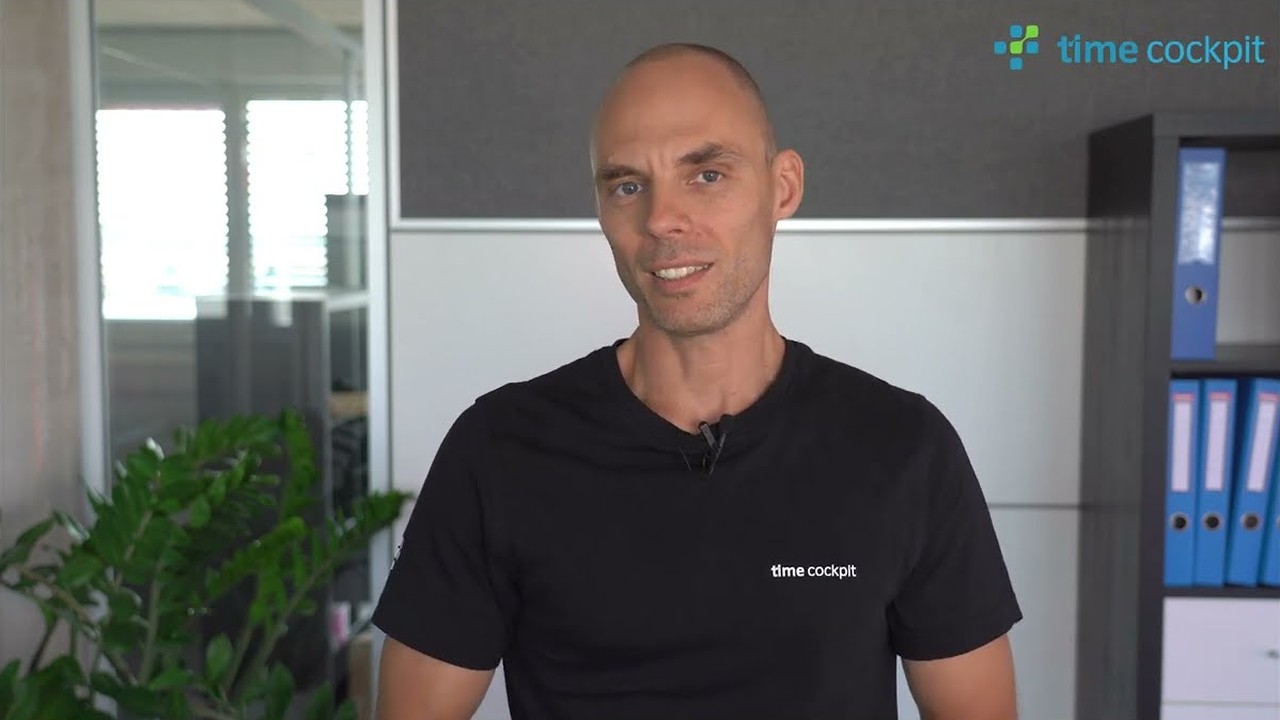
Alexander Huber, Product Management and Implementation · 9:25 min · in German

Customers that trust time cockpit
Doka
Dynatrace
KUKA
LPA
Softline
valantic

Why customizable project time tracking?

When standard software is enough and when it reaches its limits

time cockpit is a customizable time tracking software for project-oriented service companies, developed and operated by software architects gmbh in Leonding, Austria. The difference to standard tools: data model, forms, reports and workflows adapt to your processes, and the team that builds the software also accompanies the introduction.

Time tracking in service companies: tedious, but business-critical

Most companies in the service sector face the same challenge: time tracking. Whether employee time tracking or project time tracking, it is essential to generate revenue (e.g. in consulting) or to comply with regulations (e.g. working time laws in the HR department). At the same time, many employees feel kept from their actual work and “monitored”.

Perhaps you know the feeling: there is room for improvement, but the effort of introducing a new system seems too high. For some companies, off-the-shelf standard software is enough, and if that is the case for you: perfect! In many cases, however, such solutions quickly reach their limits.

Why standard software is not always enough

Especially in larger companies with more than 50 employees, the requirements for time tracking are often more complex. Standard software is frequently not flexible enough to map individual processes. Developing your own would be possible, but comes with drawbacks:

  • High internal effort
  • Focus on non-core tasks
  • High opportunity costs

The solution? Customizable standard software like time cockpit: flexible, powerful and developed specifically for service companies.

Off-the-shelf standard software is enough for some companies, but in many cases quickly reaches its limits not flexible enough
In-house development would be possible, but comes with drawbacks High internal effortNon-core tasksOpportunity costs
Customizable standard software flexible, powerful and developed specifically for service companies Data modelFormsReportsWorkflows

What does a time tracking project with time cockpit look like?

We guide you step by step – from the first analysis to the successful introduction of your tailor-made time tracking solution.

Phase 1: Clarify

Steps 1–3

1 . Knock-out criteria analysis

First, we clarify whether time cockpit is a suitable partner.

If there are knock-out criteria such as operation in your own data center or the requirement for a pure “time clock solution”, time cockpit might not be the right tool.

It is important to us to make sure that it is the best fit for both parties.

2 . Identifying stakeholders

In this phase, all relevant stakeholders are identified:

  • Employees who record time
  • Back office that supports internal processes
  • Project managers who need detailed time tracking data
  • HR department for payroll and compliance
  • IT department for the integration into existing systems

The clearer the requirements, the more successful the result.

3 . Selecting a PoC use case

A representative use case is selected to show how time cockpit fits into daily use and which benefits it offers.

Nothing is more convincing than a solution that already works in a real scenario and meets your individual requirements.

Phase 2: Try out

Steps 4–6

4 . Proof of concept (PoC)

Based on the selected use case, a prototype is built that maps the most important data structures and processes. The required data is imported once to create a realistic test environment.

Stakeholders can test the system and give feedback. This makes sure that the prototype meets the requirements and can be optimized where needed.

5 . Reviewing new knock-out criteria

After the proof of concept (PoC), we check whether new knock-out criteria have come up that could put the project at risk. This review serves to identify possible obstacles early.

This makes sure that all requirements are still met and the project can continue without unexpected risks.

6 . Analyzing the system landscape

We check how time cockpit fits into your existing IT landscape, for example:

  • Upstream systems such as ERP (e.g. Microsoft Dynamics, SAP), SharePoint or Azure DevOps
  • Downstream systems such as accounting or HR tools
  • IT requirements: SSO, user onboarding and deprovisioning

The goal is a seamless integration into your infrastructure.

7 . Go/no-go decision

Once the first phases are complete, we prepare a detailed quote with effort estimates. You decide:

  • Go: The implementation starts!
  • No-go: You gain more clarity about your requirements.

Phase 3: Implement

Steps 8–10

8 . Data migration

Existing data is migrated carefully:

  • Analysis of the data sources
  • Cleansing and mapping of the structures
  • Validation of the migrated data

This makes sure that your data is transferred reliably.

9 . Tailor-made implementation

time cockpit is adapted to your requirements iteratively, and feedback is integrated continuously. Features are implemented according to your priorities.

Even after the operational phase, the solution can be developed further, because requirements become more precise and grow over time.

10 . Test phase by stakeholders

Key users test the system intensively against typical use cases. Feedback is collected along the way to identify possible improvements.

The feedback is evaluated and used for final adjustments, so that the system is aligned with the requirements.

Phase 4: Roll out and operate

Steps 11–12

11 . Rollout phase

After a successful test phase, the rollout follows:

  • Introduction of the system
  • Training for all user groups
  • Support with questions and problems

12 . Operation phase

After the rollout, your processes settle and the system becomes part of everyday work. New requirements can be implemented flexibly and iteratively.

Even after the introduction, we remain your partner and support you in developing and optimizing the solution further.

Small teams skip the project and start directly with the 30-day trial.

What you get from the vendor

Software, introduction and support from one source

Developed and operated since 2010

time cockpit is a proven, customizable solution that software architects gmbh has developed and operated since 2010. With its rich customization capabilities, it empowers organizations of all sizes to optimize their time tracking and management processes.

software architects gmbh, Leonding

Consulting and support from the development team

We’ve got your back! Our team with more than 15 years of experience in time tracking will guide you through every step of the way. Whether it’s about defining your requirements, embedding time cockpit into your infrastructure, or navigating common pitfalls. You’ll have personal guidance and support from the people who created time cockpit and used it in numerous successful projects.

Your way to support

Enterprise-ready: SSO, Web API, certified infrastructure

time cockpit is ready to tackle anything you throw at it! Scalable, cloud-based enterprise time tracking with Single Sign-On (SSO) and a flexible Web API. All running on ISO27001 certified infrastructure, more on that under security and data protection. Throw in backup and disaster recovery plus professional guidance to help you along the way and you get a reliable and efficient partner for businesses of all sizes. At a reasonable price!

Enterprise-ready

Project time, working time and invoicing in one system

time cockpit is a comprehensive and flexible time tracking solution with a wide range of features for both project time tracking and employee time tracking, up to project invoicing, suitable for businesses of all sizes. Missing a feature? Talk to us, we adapt time cockpit to your needs.

in one system

The software adapts to your processes

To get the most out of time tracking, it needs to seamlessly integrate into your business. The software should conform to YOUR processes and needs, not the other way round. That’s why we built time cockpit to be as customizable as possible from the ground up. What you can adapt is shown on customizable time tracking, how customers have done it in our case studies.

Data model, example

One price, full feature set

We believe in providing the full range of features at a single price. No complex pricing models, no “Contact Sales” and different sets of features. For larger teams or companies we have designed our pricing model to scale, while keeping it predictable.

Pricing model

time cockpit at a Glance

Product
time cockpit, project and employee time tracking as software-as-a-service
Vendor
software architects gmbh, Leonding (Austria), time cockpit since 2010
Hosting
Microsoft Azure, data centers in the EU (Amsterdam and Dublin), dedicated database per customer, 35-day point-in-time recovery
Price
€10.85 per user per month; Freelancer plan free in the first year; Starter €29.90 in the first year for up to 10 users
Trial
30 days free, no credit card, cancel any day afterwards
Master data
Unlimited clients, projects, tasks and invoices
Platforms
Browser on PC, Mac, Android and iOS; automatic time tracking with sidekick for Windows and macOS (early preview)
Integrations
Web API (REST, OData, TCQL) with personal access tokens, MCP server for AI assistants, Excel import and export, Office 365 appointments in the calendar
Single sign-on
Microsoft Entra ID (Azure AD)

FAQ: Introducing project time tracking

How safe is my data with a specialised vendor?

time cockpit has been on the market since 2010 and is developed and operated by software architects gmbh in Leonding, Austria. Every customer has their own database on Microsoft Azure in the EU (Amsterdam and Dublin), with point-in-time recovery for 35 days. Through the Web API (REST, OData, TCQL) you can access your data at any time, and after the trial time cockpit can be cancelled daily.

What sets time cockpit apart from other time tracking tools?

Customizability down to the data model, working time, project time, controlling and invoicing in one system, and a vendor that accompanies the introduction itself. software architects gmbh has developed and operated time cockpit in Leonding, Austria, since 2010.

What does a time tracking project with time cockpit look like?

In four phases: first we clarify requirements, stakeholders and knock-out criteria. A proof of concept with your data and an analysis of your system landscape show whether time cockpit fits, then you decide on go or no-go. Next we migrate your data, adapt time cockpit and have key users test it. Finally come rollout and training, and in operation we keep developing the solution with you. Small teams skip the project and start directly with the 30-day trial. What to watch out for is summed up in our checklist for the introduction and the 10 common mistakes when introducing time tracking software.

When is an introduction project worth it, and when is the trial enough?

An introduction project is worth it when time cockpit should be adapted to your processes or embedded in your system landscape, for example through the Web API or with single sign-on via Entra ID. Teams for whom the standard is enough skip the project and start directly with the 30-day trial. time cockpit is not the right tool if it has to run in your own data center or if you are only looking for a pure time clock.

Is there personal support?

Yes, support is included in the price. Requests go to support@timecockpit.com and are answered by the team that builds the software.